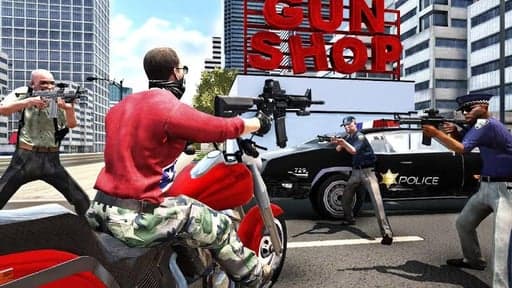
Open World · Gangster

Ready to play
Click Play to load the game.
Real Gangster Simulator Grand City
Become a top-level gangster in a Vegas-style city - weapons, cars, motorcycles, missions.
HOW TO PLAY
Learn the common keyboard and mouse controls used in GTA-style PC games for movement, combat, driving and aircraft. Exact controls can vary by game, so check the instructions shown inside the game before you start.
USEFUL SHORTCUTS
These shortcuts are especially useful in GTA Online. Interaction Menu options such as snacks, armor and Passive Mode may not be available in every independent browser game featured on this site.
MORE TO PLAY
Browse independent GTA-style browser games selected for players interested in the open cities, vehicles, missions and free-roam action associated with GTA 5 Online.
THE EXPERIENCE
People searching for GTA 5 Online often want the freedom to explore a city, drive vehicles, take on missions and move between structured objectives and unscripted action. GTA-style games apply some of those ideas in their own maps, characters and gameplay systems.
GTA5Online.org focuses on independent browser games with meaningful connections to that experience. A title may feature open-city exploration, vehicles, police pursuits, missions or sandbox freedom while still having its own setting and identity.
Every game is selected for its actual gameplay rather than its name alone. Unrelated racing or shooting games are not added simply to make the collection look larger.
OPEN WORLD
Open cities, vehicles, missions and the freedom to decide what happens next.
Move beyond a single track or level and explore streets, districts and interactive city environments.
Drive cars and other vehicles across the map, travel between objectives or escape through busy city streets.
Take on objectives that can involve driving, exploration, action, collection or reaching different parts of the city.
Some GTA-style games add wanted systems and police chases that turn city driving into a high-pressure escape.
EXPLORE
Open-world exploration is a central reason players search for GTA 5 Online and games like it. Streets, buildings, vehicles and connected districts create a city that can be explored rather than simply passed through on a fixed route.
Some games emphasize free roaming, while others use the city for missions, driving challenges, combat or escape scenarios. The strongest matches for this site make the urban environment part of the gameplay, not just a background image.
DRIVE
Players drawn to GTA 5 Online often expect vehicles to be part of a wider city experience rather than a separate racing track. In the browser games collected here, cars may be used to cross an open map, reach mission locations or escape pursuing police.
A normal racing game is not automatically a GTA-style game. Driving should connect to an open city, free-roam play, missions, action or a wanted-style pursuit system.
MISSIONS
Missions give open-world play a clear purpose without removing the freedom to explore. Players may travel to a location, complete a task, escape enemies, collect an item or interact with another district of the city.
Sandbox action adds room to choose what to do between objectives. That balance of missions and free roaming is one of the main qualities used when deciding whether a browser game belongs in this GTA 5 Online collection.
GTA 5 ONLINE
Players searching for GTA 5 Online may be looking for GTA Online, the official online multiplayer experience associated with Grand Theft Auto V. GTA5Online.org is an independent website and is not affiliated with Rockstar Games or Take-Two Interactive.
The games featured here are separate browser titles. They may share gameplay ideas such as open-world exploration, city driving, missions, sandbox action and police chases, but they must not be presented as the official Grand Theft Auto V or GTA Online browser version.
If your GTA 5 Online search is about finding browser-based games with a similar sense of freedom, driving and city exploration, browse the GTA Games collection below.
FAQ
The official GTA Online experience is not offered here as a browser game. GTA5Online.org features independent GTA-style games that can be played online when a web-compatible version is available.
No. GTA5Online.org is an independent gaming website and is not affiliated with Rockstar Games or Take-Two Interactive.
No. The playable games on this website are separate titles that may share open-world, driving, mission or police-chase features with GTA-style games. They are not the official Grand Theft Auto V or GTA Online.
GTA-style games usually combine elements such as open-world exploration, city environments, cars, missions, action, police chases and sandbox gameplay.
Games identified as browser games can normally be played through a compatible web browser without installing the game locally.
Mobile compatibility depends on the individual game. Each game page should clearly state which devices and controls are supported when that information has been verified.